v1.0 · iOS 17+ · On-device

A notebook
that thinks
on-device.

Capture freely. Notes cluster themselves by meaning, surface reminders from plain language, and answer your questions — all without leaving your phone. No servers, no accounts, no telemetry.
Size14 MB · models extra
NetworkNever required
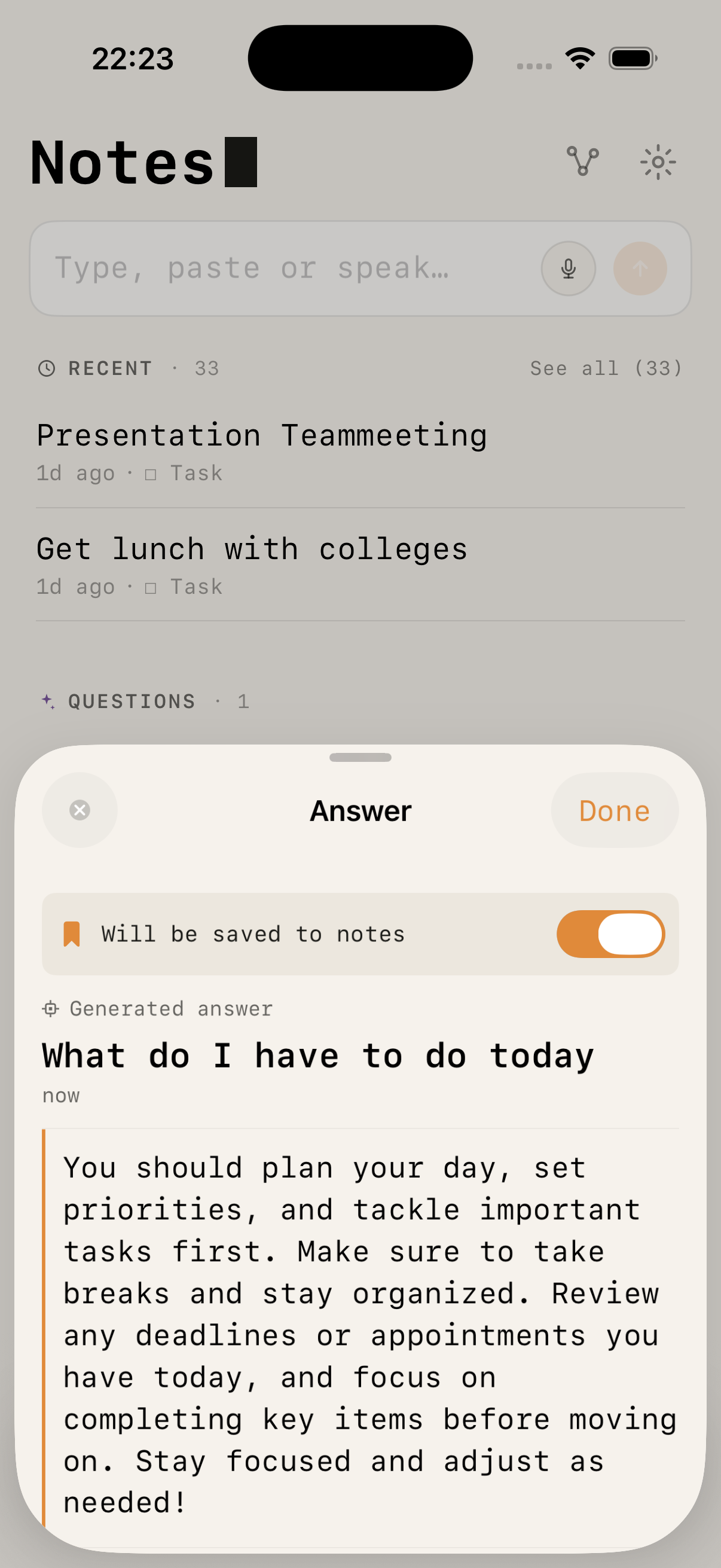
Local AI Notes — /ask generating an answer on device
No network calls during indexing384-dim MiniLM embeddingsCore ML · Neural Engine
What you can do

A notebook that listens,
plans, and answers.

One input box. Everything else — organisation, reminders, calendar, search, answers — happens through plain text and voice. No folders, no settings mazes.

Capture

Type, paste, or speak.

Bullet points, long thoughts, dictated meeting notes. On-device speech recognition works offline and never leaves the phone.

"remind me friday at 10 about the boss meeting"
Organise

Topics appear on their own.

Fuzzy clustering puts a single note in several topics by degree — 72 % Work, 21 % Planning, 7 % Ideas — the way a real thought belongs to many things at once.

no folders · no manual tags
Remember

Reminders from plain language.

"Next Tuesday at 3", "Freitag 10 Uhr", "tomorrow afternoon" — parsed automatically. Day, Week and Month views keep everything in sight.

/remind · NSDataDetector + regex
Schedule

Straight to your calendar.

/calendar writes an EventKit event. iOS syncs it to iCloud, Google, Outlook automatically — no extra account setup inside the app.

/calendar meeting friday 2pm with Sarah
Ask

Answers from your own notes.

/ask retrieves the most relevant notes by meaning, synthesises an answer, and saves it. Works without an LLM via extractive summary; becomes conversational in Smart Mode.

/ask what's still open this week?
Protect

Lock a note with Face ID.

Mark anything private and it's sealed behind biometrics. Password fallback lives in the Keychain, device-only. Encrypted exports use AES-GCM with a key derived from your password.

/lock
What it does

Writing stays simple.
The structure emerges.

You write one note at a time. The app reads each note into a 384-dimensional vector, compares it to every other note with cosine similarity, and groups them into fuzzy clusters. No tags required, no folders to maintain.

Automatic clusters

Notes with similar meaning gather themselves. One note can belong to multiple clusters at different strengths — exactly like real ideas do.

Fuzzy C-Means · 384-d vectors
/

Slash commands

/remind parses dates. /ask answers from your own notes. /calendar creates an EventKit event. /lock seals the note behind Face ID. Type, don't tap.

/remind · /ask · /calendar · /lock

Knowledge graph

See how every note connects. Force-directed layout with 200 nodes rendered at 30 fps — drag, zoom, pin, explore.

Metal-accelerated Canvas

Semantic search

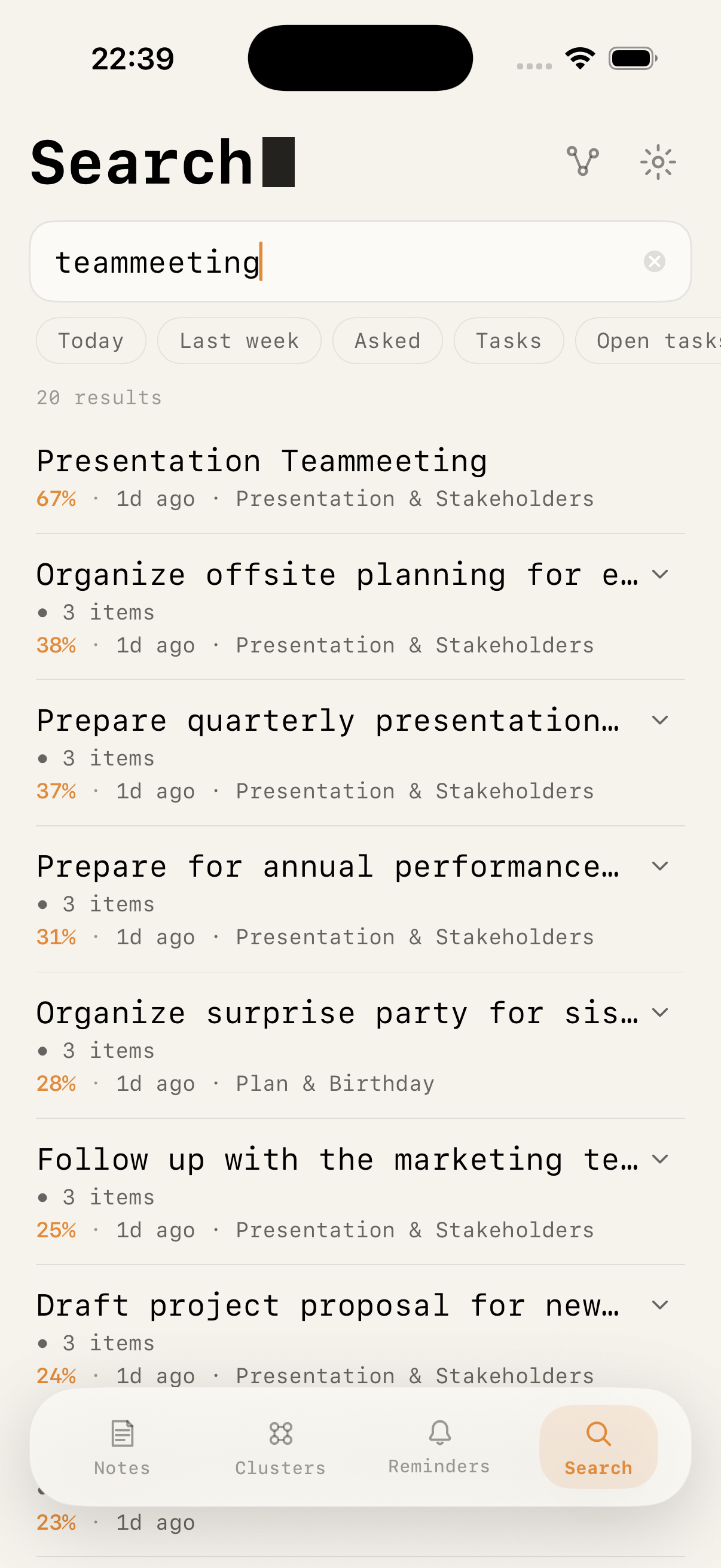
Search by what you meant, not which word you used. "Things to read this weekend" finds notes about books, papers, and links.

Cosine sim · vDSP

Smart Mode · optional

Download LFM2.5 1.2B or Gemma 3 E4B to unlock /ask, /generate, auto-tagging and cluster descriptions. Model unloads from RAM after 60 s idle.

800 MB–4.5 GB · GGUF Q4_K_M · llama.cpp

Locked notes · Face ID

Mark any note private. Unlocked with Face ID, fallback to a password you set. Keys stay in the Secure Enclave.

LocalAuthentication · Keychain
Screens

Six screens. No clutter.

Each view does exactly one thing. Scroll →
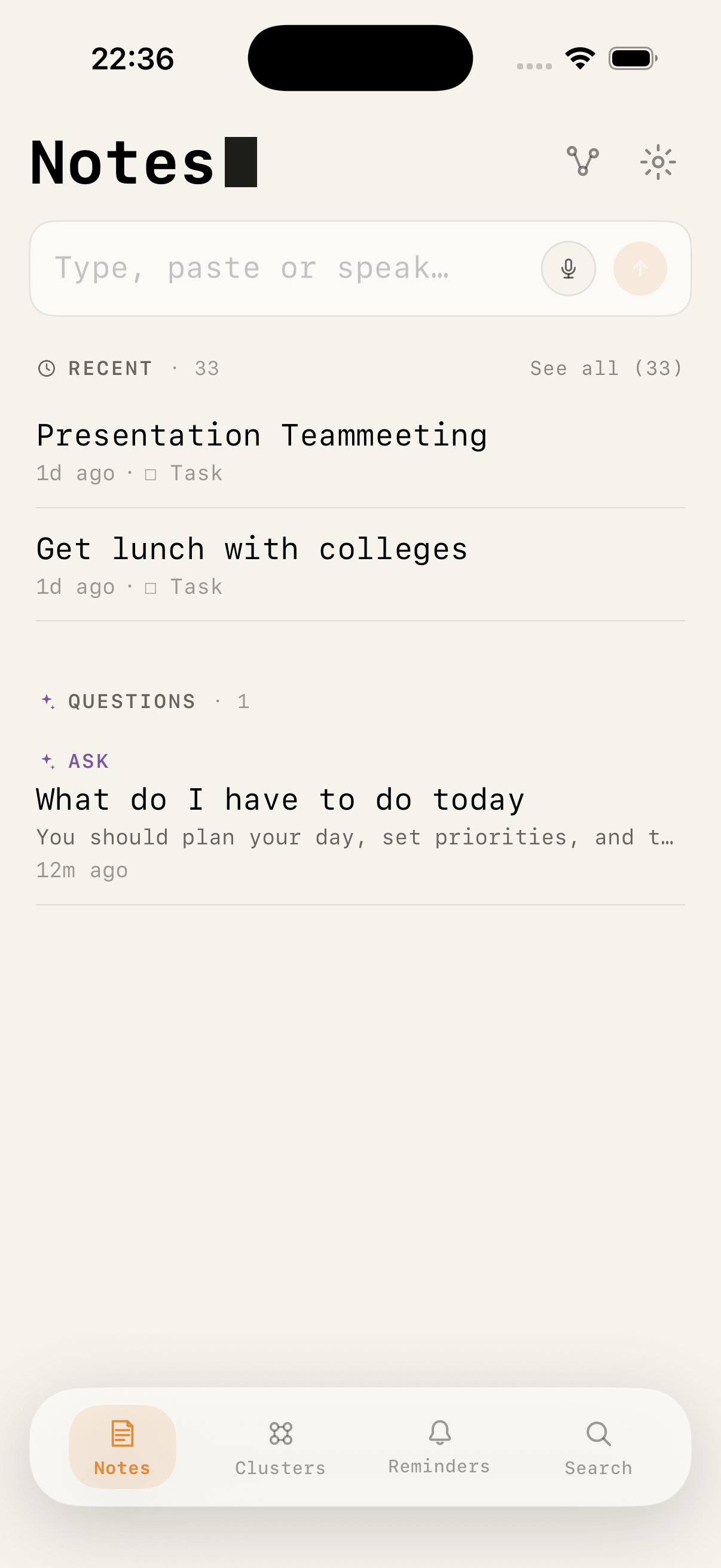
Notes home view
01 · Notes
Freeform capture
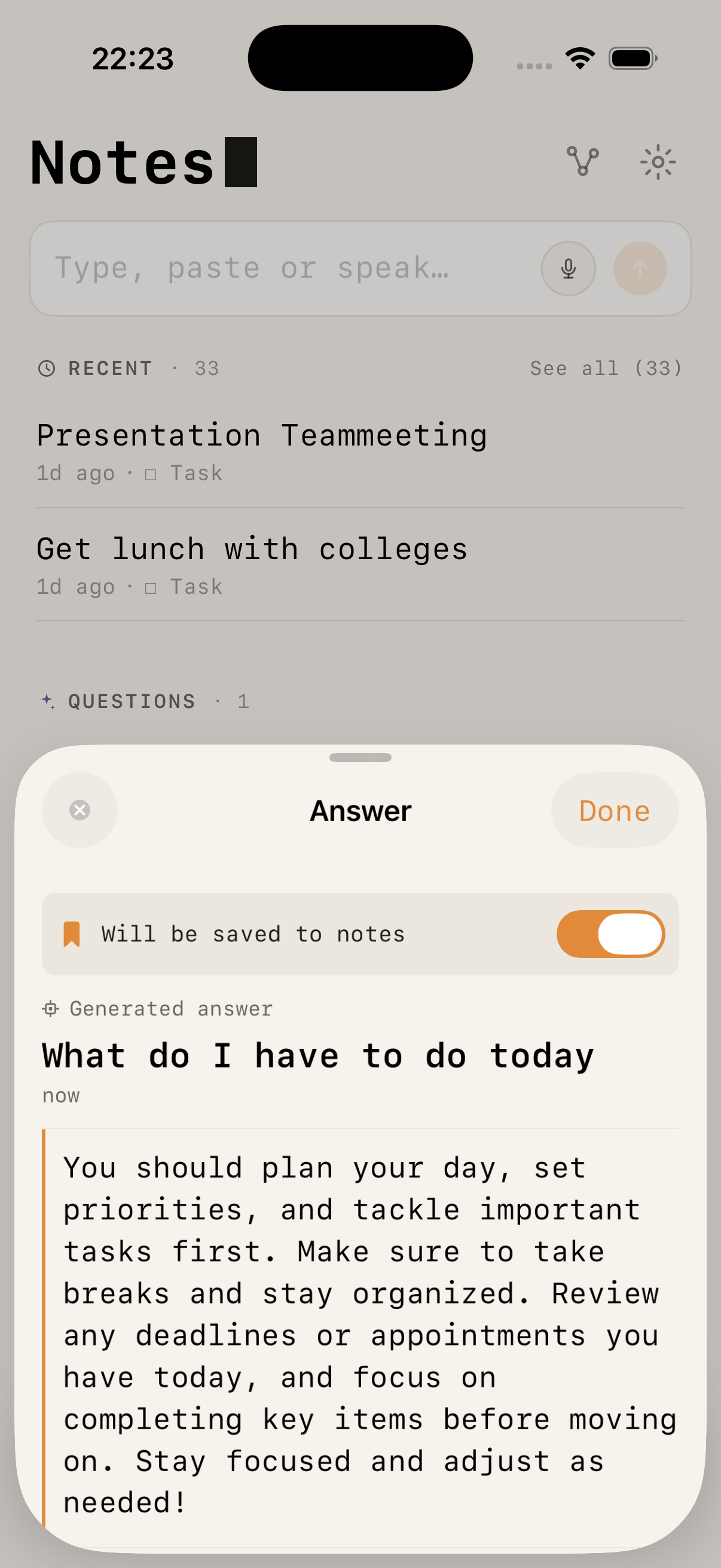
Type, paste or speak. Recent notes, questions and reminders collected in one place.
/ask answer generated on-device
02 · /ask
Answers from your notes
Ask in natural language. The LLM runs locally and cites your own notes as sources.
Automatic clusters list
03 · Clusters
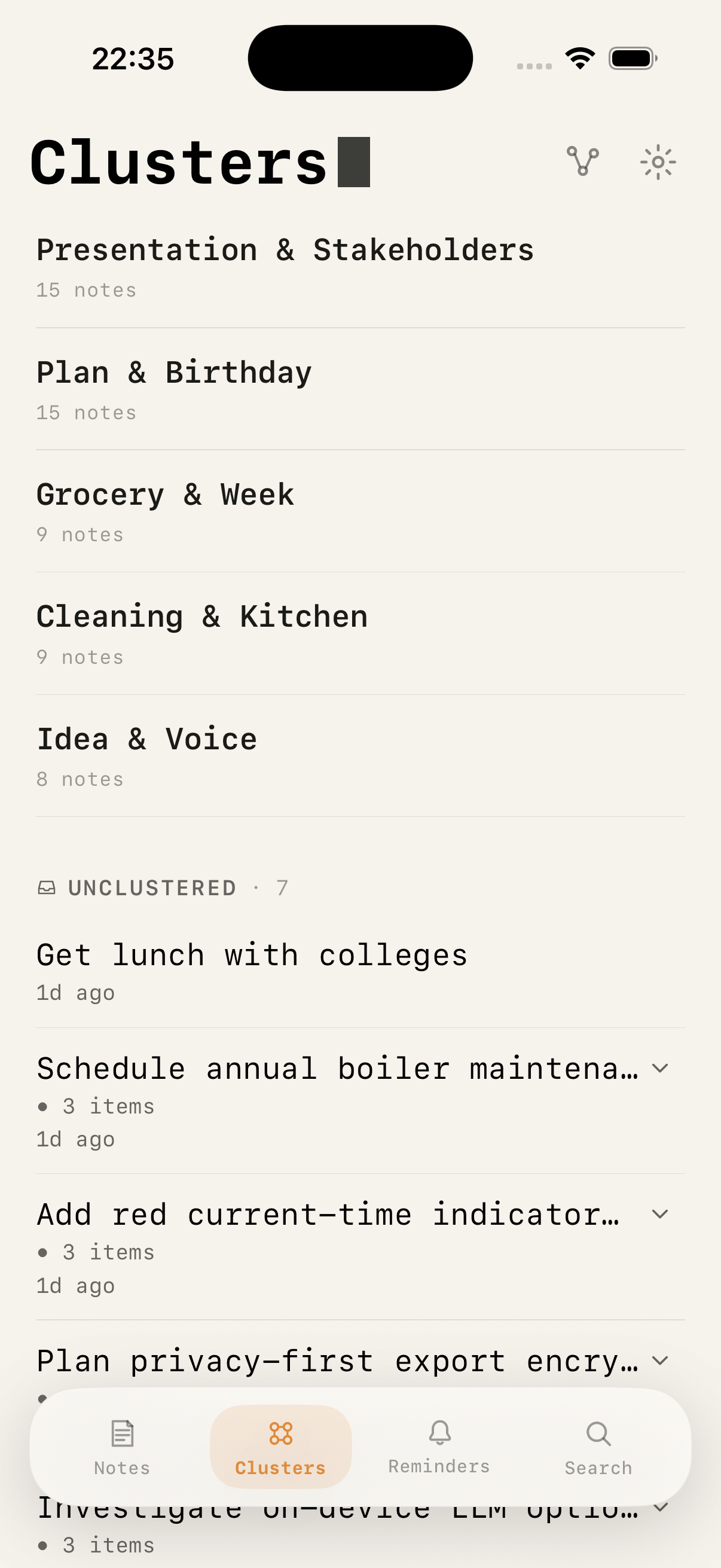
Emergent topics
Groups form automatically. A note can sit in several clusters at once.
Knowledge graph
04 · Knowledge Graph
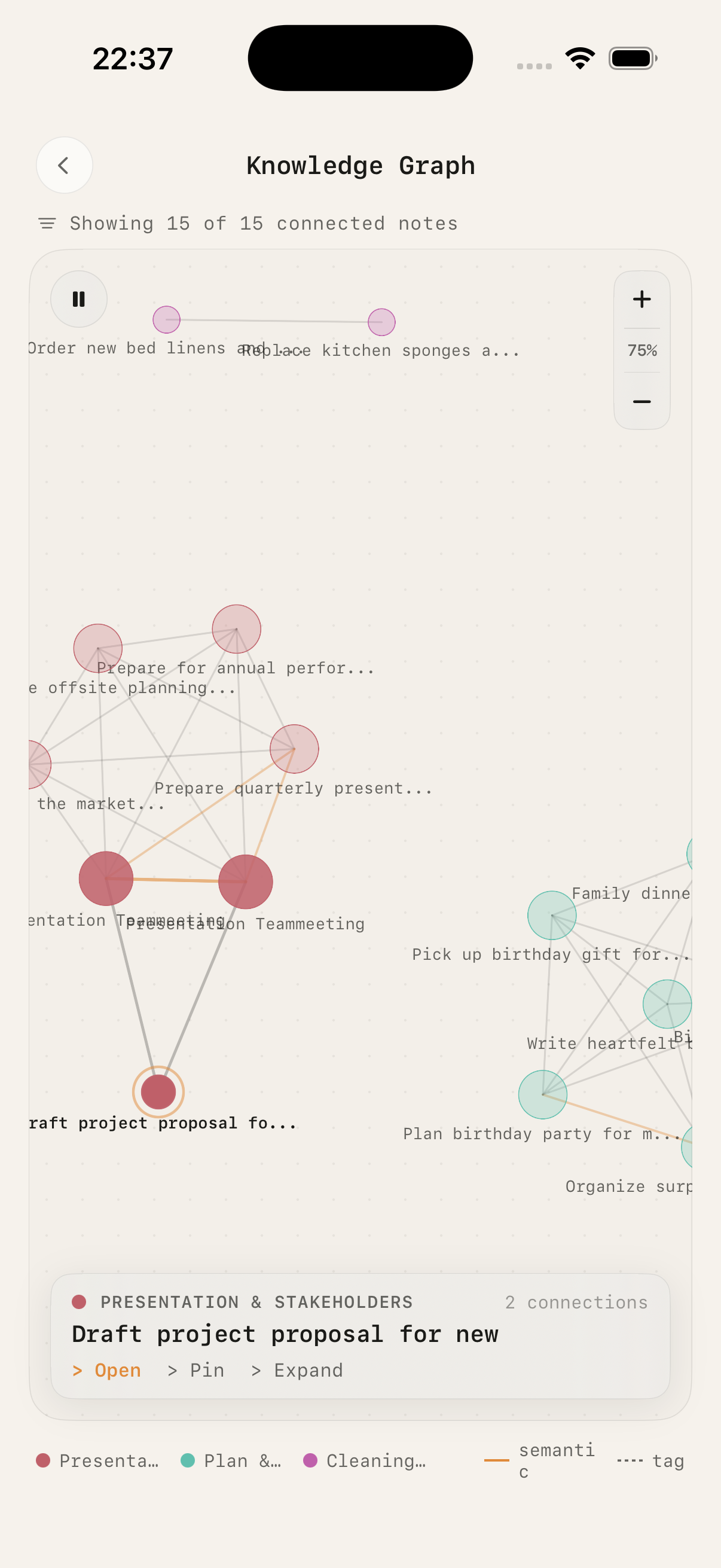
Everything, connected
Force-directed. Drag, zoom, pin, expand — up to 200 nodes at 30 fps.
Reminders week view
05 · Reminders
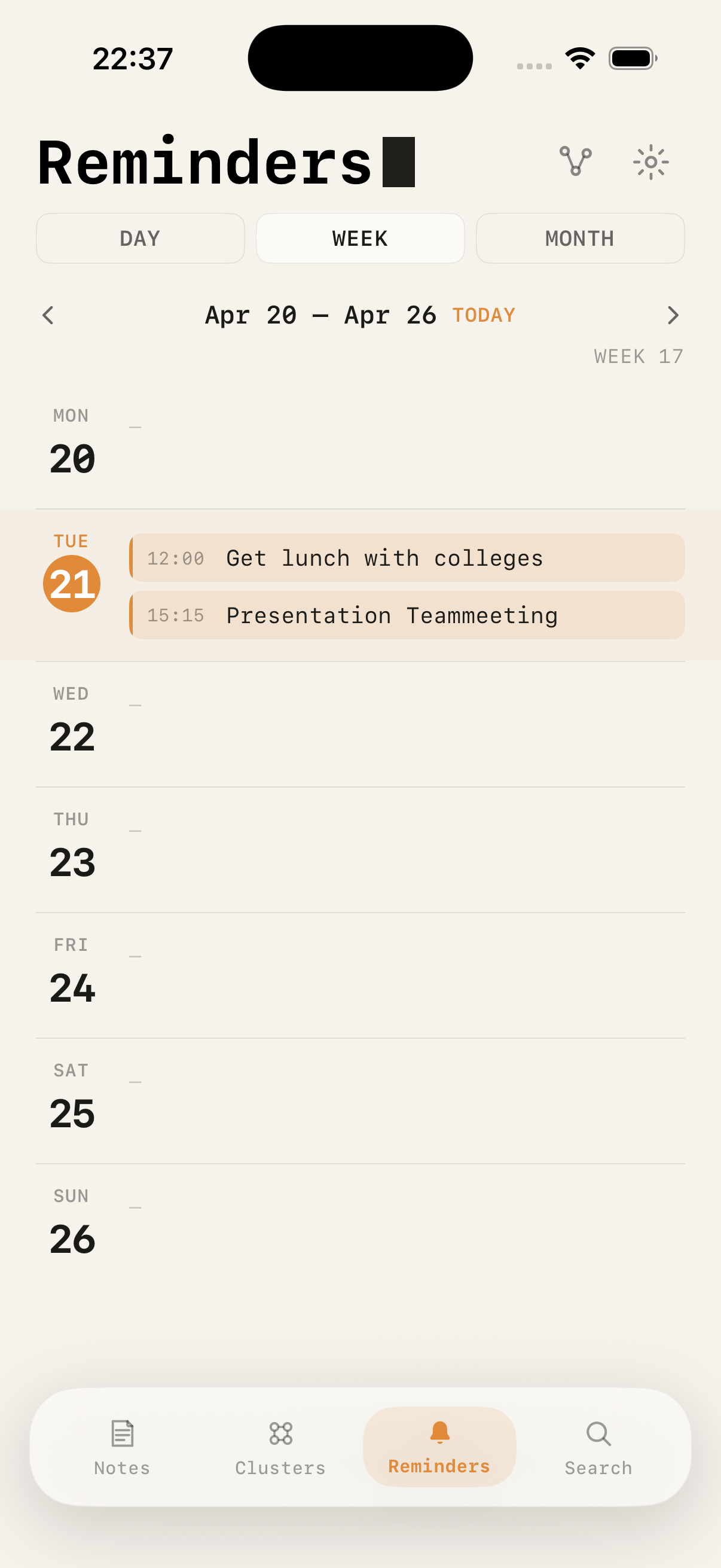
Day · Week · Month
Parsed from plain language. “next Tuesday at 3” just works.
Semantic search
06 · Search
Semantic, not literal
Ranked by cosine similarity. Filters for tags, clusters, date.
How it works

Built on Apple silicon.
Nothing leaves your phone.

Every embedding, every cluster, every generated answer runs through Core ML on the Neural Engine of your device. The app has no backend. Your notes never touch a server, not even ours — because we don't have one.

Stack
UISwiftUI + @ObservableiOS 17+
PersistenceSwiftData + GRDBmodels + vectors
EmbeddingsMiniLM-L12-v2 · multilingualCore ML · 384-d · ~47 MB
ClusteringFuzzy C-Means + Wardtwo-phase, m=2.0
SimilarityvDSP cosineAccelerate.framework
LLMLFM2.5 1.2B · Gemma 3 E4Boptional · LLM.swift · GGUF
VoiceSFSpeechRecognizeron-device only
CalendarEventKitsystem calendars
AuthLocalAuthenticationFace ID · Keychain
ExportCryptoKit AES-GCMHKDF-derived key
Data flow
Input
Freeform textVoiceClipboard
Parse
Slash parserNSDataDetectorTag extractor
Embed
MiniLM-L12 (Core ML)Float16 · 384-dGRDB vector cache
Index
Fuzzy C-MeansCosine sim (vDSP)Graph edges
Query
Semantic search/ask · LLM/gen · LLM
Store
SwiftData (local)GRDB vectorsKeychain
Slash commands
/remind
Parses a date/time and sets a local notification. Also marks the note as a task.
/tag work
Adds one or more tags; feeds the cluster and search index.
/ask
RAG pipeline. Retrieves top-K notes by cosine similarity, generates an answer, saves it.
/generate
Free LLM response (Smart Mode). Useful when you want explanation, not retrieval.
/calendar
Creates an EventKit event. iOS syncs to iCloud, Google, Outlook automatically.
/lock
Seals the note behind Face ID. Password fallback stored in Keychain, device-only.
Under the hood

Three algorithms,
all on your device.

The short version of how meaning turns into structure. No cloud round-trip, no external API — every step runs inside the sandbox of your iPhone.

01
Clustering

Fuzzy C-Means,
two phases.

Each note is a 384-dimensional vector. Instead of picking one bucket, every note gets a degree of membership in every cluster.

uij = 1 / Σk (dij / dik)2/(m−1)dij = 1 − cos(notei, centroidj), m = 2.0
"Q3 planning meeting"
Work0.72
Planning0.21
Ideas0.07
<50 ms
Real-time. New note → cosine vs existing centroids → FCM degrees. Memberships above 0.15 stored.
background
Drift correction. Ward's linkage picks optimal K; full FCM pass fixes incremental drift.
Throttled 1/3 s · generated notes excluded
02
Voice & intent

Embeddings classify
what you meant.

Speech is transcribed on-device, embedded with MiniLM, and matched against five pre-computed exemplar centroids.

R
Reminder
"remind me tomorrow at 10"
A
Ask
"what did I note about X?"
C
Calendar
"meeting friday 2pm with Sarah"
G
Generate
"explain photosynthesis"
N
Note
— default fallback
Tiebreakers: mein/ich/my/I → Ask · meeting/termin → Cal
03
/ask pipeline

Local RAG with
graceful fallback.

Retrieval always works. Generation is optional — the app stays useful whether you've downloaded an LLM or not.

embed(query) → top-K by cosine
Then branch on state
smart_mode && hits
Prompt + retrieved notes → LFM2.5 1.2B or Gemma 3 E4B generates answer.
!smart_mode && hits
Extractive summary from top notes. No LLM required.
smart_mode && !hits
Free generation, tagged generated.
else
No-answer state with a prompt to record more.
Every answer saved back as a note with source links
Privacy

Your notes
stay yours.

Local AI Notes has no backend. There is no account to create, no telemetry, no analytics SDK, no third-party tracker. Every model runs on-device. Optional iCloud sync uses your personal CloudKit container — we never see a byte.

Built in Germany. GDPR-compliant by design — mostly because there's nothing to collect.

Zero egress.

These claims are auditable. The source is open; the network sandbox is empty.

No analytics
No accounts
No trackers
No ads
No server
FAQ

Frequent questions.

Does it work without internet?+
Yes — fully. The only time the app uses the network is the initial model download if you opt into Smart Mode. After that, airplane mode is fine.
Which AI models are supported?+
Two Q4_K_M GGUF models, downloaded on-demand from Hugging Face: LFM2.5 1.2B (Liquid AI, ~800 MB, fast on older devices) and Gemma 3 E4B (Google, ~4.5 GB, multilingual and balanced). Inference runs through LLM.swift (llama.cpp). Basic mode without any LLM is fully functional — /ask falls back to extractive summarisation.
How large is the embedding cache?+
384 floats per note (~1.5 KB), stored as Float16 in a GRDB/SQLite table. 10,000 notes ≈ 15 MB. The cache is fully rebuildable from source notes at any time.
Can I export my notes?+
Yes — JSON with full note data, optionally encrypted with AES-GCM (CryptoKit, HKDF key derivation from a password you set). The app auto-detects encrypted files on import. Generated /ask notes are excluded from export.
Does it work on iPad or Mac?+
iPhone first. An iPad layout is on the roadmap; Mac via Catalyst is being evaluated once the model pipeline is stable on Apple Silicon Macs.